Shopify PIM: How It Integrates With Your Store in 2026
A Shopify PIM centralizes product data, cuts listing errors, and scales your catalog across channels. Compare the top tools and see where Carro fits in.

This guide covers what a Shopify PIM is, how it integrates with your store, and how to choose the right one, whether you're managing a few hundred SKUs or a catalog spread across half a dozen channels.
Most guides treat a PIM as the finish line for catalog growth. It isn't. A PIM makes the catalog you already own cleaner and easier to manage at scale, but it doesn't add a single new product to sell.
For a lot of growing Shopify merchants, the bottleneck is a catalog that has run out of room to grow, not the state of its data. We cover the PIM landscape in full, then show where that ceiling sits and how Carro clears it.
Key Takeaways (TL;DR)
- What a Shopify PIM is: A Product Information Management system acts as the single source of truth for all product data, covering descriptions, specs, images, and pricing, and pushes that data into Shopify and every other channel you sell on.
- Why you need it: As your catalog grows, Shopify's native tools start to strain. Merchants managing a few hundred SKUs or more across multiple channels consistently run into listing errors, variant mismatches, and manual rework that slows down launches.
- Who it's for: Mid-market and enterprise retailers on Shopify who manage complex catalogs, sell across multiple channels, or work with multiple suppliers and brand partners.
- The data a PIM can't govern: A PIM manages data for products you own. The moment you expand assortment through suppliers or brand partners, you take on product data you don't own, which sits outside what a PIM handles.
- How Carro fits in: Carro connects you to a vetted network of over 1.5 million products from brand partners, then normalizes that supplier data and keeps product information, pricing, and inventory in sync with Shopify. The PIM and Carro work together, not against each other.
- How to choose: Prioritize real-time sync, native Shopify connector quality, channel-ready data validation, and supplier data ingestion, then ask whether your real bottleneck is data or assortment.
Shopify PIM at a Glance
| Criteria | Details |
|---|---|
| What it does | Centralizes product data and syndicates it to Shopify and other channels |
| Who needs it | Retailers managing a growing catalog across multiple storefronts or complex variant structures |
| Key benefits | Fewer listing errors, faster product launches, and consistent multi-channel data |
| Shopify native? | No. Shopify is a storefront tool; a PIM is an upstream data governance layer |
| Integration method | Native connector, API, or middleware |
| Top tools | Akeneo, Plytix, Sales Layer, Salsify, Jasper PIM |
| What it can't do | Expand your assortment. A PIM governs data for products you already own; Carro adds products you don't |
What Is a PIM System?
A Product Information Management (PIM) system is a central place to manage, enrich, and distribute product data across every channel you sell on. In a Shopify PIM context, it acts as the source of truth for your entire catalog, pulling data from ERPs, supplier feeds, and procurement systems, then pushing clean, validated content to your Shopify storefront, marketplaces, wholesale portals, and any other channel you operate.
The data a PIM manages covers product descriptions, titles, and marketing copy; technical specifications and attributes; SKU data and variant structures; images, videos, and digital assets; translations and localizations for international markets; and pricing, compliance, and sustainability fields.
Without a PIM, all of that data typically lives across spreadsheets, supplier emails, and disconnected systems, which works fine when you're managing 50 products but breaks down quickly at scale. Is Shopify a PIM? No. Shopify is a commerce tool built to sell; it processes orders, manages checkout, and serves the storefront, while a PIM governs product data before it ever reaches Shopify. The two work together, with the PIM feeding structured, validated data into Shopify rather than replacing it.
Demand for these systems reflects how real the problem is. The PIM market is projected to grow from USD 19.95 billion in 2026 to USD 37.39 billion by 2031, a 13.38% CAGR, as more retailers hit the limits of managing product data by hand.
Here's where a PIM sits relative to the systems around it:
| Layer | Role | Examples |
|---|---|---|
| Source systems | Where raw product data originates | ERP, supplier feeds, procurement |
| PIM | Enriches, validates, and governs the data | Akeneo, Plytix, Sales Layer |
| Shopify and channels | Where validated data is published and sold | Shopify, Amazon, wholesale, social |
Do You Actually Need a PIM for Shopify Yet?
Not every Shopify store needs a PIM, and adopting one too early adds cost and process you don't need. Most guides say it depends; here are the concrete signals that tell you which side of the line you're on.
| Signal | You probably don't need a PIM yet | A PIM starts to pay off |
|---|---|---|
| SKU count | Under roughly 200 SKUs | Hundreds to thousands of SKUs |
| Sales channels | Shopify only | 3+ channels (Amazon, wholesale, social, international) |
| Variants and attributes | Simple products, few options | Deep variants, compatibility rules, or spec-heavy catalogs |
| Suppliers | You own and control all your data | Multiple suppliers or brand partners feeding data |
| Team | One person updates listings | Multiple editors who need approvals and permissions |
If most of your answers fall in the right-hand column, a PIM will earn its place. If they fall on the left, Shopify's native fields and metafields are likely enough for now. There's a second signal the checklist above misses. A PIM only governs data for inventory you already own, so the moment you grow through suppliers or brand partners, you take on product data you don't own, fragmented feeds, and mismatched attributes that a PIM isn't built to manage.
That partner-data gap is the one Carro is built to close, and we come back to it below.
Common Product Data Challenges for Shopify Stores
Most Shopify merchants don't think about PIM until something breaks. Product data problems aren't cosmetic either; they cost real revenue. The average ecommerce return rate reached 16.9% in 2024, and incomplete or inconsistent product data is a controllable driver of returns, abandoned carts, and suppressed listings.
These problems hit hardest for mid-market and enterprise retailers, B2B and wholesale sellers, and operators juggling multiple suppliers, the merchants a PIM is really built for. Here are the four points where Shopify's native tools most commonly hit their limits.
Managing Complex Catalogs at Scale
Shopify handles the storefront and checkout well, but it wasn't designed to govern product data across hundreds of suppliers, thousands of SKUs, and dozens of attributes per product.
Fashion brands managing 50+ variants per style, electronics sellers with deep compatibility fields, and B2B operations with customer-specific pricing all run into the same wall, where Shopify's metafields and manual workflows can't keep up, and the result is missed launches, incorrect attributes, and hours of rework every week.
Maintaining Consistency Across Multiple Channels
Most mid-market brands typically sell on four to seven channels at once, including Shopify storefronts, Amazon, social commerce, wholesale portals, and international sites, and each of those channels has different image requirements, attribute formats, and taxonomy structures.
Without a PIM, keeping product data aligned across all of them is a manual job that grows with your catalog. One description change in Shopify doesn't automatically update Amazon, and a new image dimension requirement on a marketplace means touching every listing by hand.
Handling Variants and Attributes Efficiently
Shopify handles simple products well, but complex products strain its variant engine. Products with dozens of configurable attributes, multi-level hierarchies, or compatibility rules that vary by customer quickly exceed what Shopify can model natively.
Outdoor gear tied to performance specs, automotive parts with vehicle fitment rules, and health products with shade and formula variants at the SKU level are all common examples, and the cost shows up in pricing errors, inventory mismatches, and suppressed listings.
Losing Control of Data Governance
Shopify doesn't track where product data comes from or how it changes across teams and systems. When ERP feeds, supplier files, app updates, and manual edits all push data into Shopify without a governance layer, version conflicts build up quietly, and teams end up searching chat threads and shared drives to find the correct version of a product description.
For B2B merchants especially, this is a serious risk, since wholesale buyers expect complete, verified product data before placing an order, and one incorrect spec can trigger a return or cancel a relationship.
How PIM Resolves These Challenges
A Shopify PIM integration fixes each of these problems through a single governed data layer that sits upstream of Shopify.
| Challenge | How PIM Solves It |
|---|---|
| Complex catalog management | Supports unlimited attributes, deep hierarchies, and structured enrichment for large assortments, without relying on metafields or manual edits |
| Multi-channel consistency | Delivers channel-ready data from one source of truth, meeting each endpoint's formatting, taxonomy, and content rules automatically |
| Variant and attribute complexity | Creates governed variant models with clear relationships, accurate pricing, and consistent images for every configuration |
| Data governance and discoverability | Tracks lineage, logs updates, validates data before publishing, and prevents version drift across ERP feeds, apps, and teams |
Product launches that used to take weeks move to days, listing errors drop, and your operations team stops manually fixing data after it's been published. Here's what that looks like in practice: Picture an outdoor-gear retailer with 5,000 SKUs selling on Shopify, Amazon, and two wholesale portals.
Before a PIM, every spec change meant editing four systems by hand, and mismatched data drove returns and suppressed Amazon listings. After routing all product data through one system, a single update publishes everywhere, already validated, launches drop from weeks to days, and the team stops fixing listings after the fact.
Key PIM Features for Shopify Success
Not all PIM tools are built for Shopify environments. When you're evaluating a PIM Shopify setup, here's what to look for specifically.
Native Shopify Connector
The integration method matters as much as the features list. A certified, native Shopify connector syncs data bi-directionally without middleware and reduces the risk of sync failures at high catalog volumes, whereas middleware-only integrations add failure points and slow down updates.
Real-Time Data Sync
In e-commerce, batch updates cause overselling, stockouts, and customer complaints, so your Shopify PIM needs to push price adjustments, inventory updates, and new product attributes across every connected channel the moment they change.
Channel-Ready Data Validation
Before a product record reaches Shopify or any other channel, the PIM should validate it. Completeness scoring flags missing required fields, validation rules enforce character limits and accepted values, and channel-specific attribute mapping catches mismatches before they reach a live listing.
Approval Workflows and Role-Based Permissions
Multi-step review processes protect data quality by routing product records through the right people before publication, which matters especially when suppliers or external agencies are contributing content. Role-based permissions ensure a merchandiser can edit descriptions without touching pricing, and a supplier can submit data without being able to publish it.
Digital Asset Management Integration
Images, videos, and marketing materials need to stay linked to the right products as your catalog evolves, and a PIM with strong DAM connectivity, or built-in asset management, prevents the common problem of stale imagery attached to updated products.
Localization and Multi-Store Support
If you're running international storefronts, you need the PIM to handle region-specific translations, measurement formats, and locale-scoped content as a structured workflow, not a manual step tacked on at the end.
Audit Trail and Version History
Every change to a product record should be logged, capturing who changed what, when, and from which source. This matters for troubleshooting data issues and for meeting compliance requirements that are increasingly enforced across markets, including the EU's Ecodesign for Sustainable Products Regulation (ESPR), which requires Digital Product Passports for certain product categories.
How PIM Data Maps to Shopify: Metafields and Metaobjects
A PIM doesn't push data into Shopify as loose text. It maps each product attribute to a structured Shopify field, and most of that mapping lands in metafields and metaobjects, the two features Shopify provides for data beyond its standard product fields.
Metafields hold custom attributes that Shopify's default fields don't cover, including material, dimensions, compatibility, and compliance information. Metaobjects let you model richer, reusable structures, like a size guide or an ingredient list, and reference them across many products at once.
The limits matter when you map a large catalog. Shopify allows up to 256 metafield definitions per resource type, and most metafield values are capped at 64KB, so your PIM's field model has to fit inside those boundaries. A good Shopify PIM connector handles this mapping for you, validating attribute types and sizes before anything syncs, instead of failing silently at publish time.
How a Shopify PIM Sync Works
Before the setup steps, it helps to know what sync actually means here, because the method you choose decides how reliable your data will be.
Real-Time Sync vs Scheduled Batches
A real-time sync pushes each change the moment it happens, usually through webhooks, so a price or stock update in the PIM appears in Shopify within seconds. A scheduled sync batches changes and sends them on an interval, every hour or overnight.
Batches are simpler to run, but they risk overselling, because Shopify can keep showing stock that sold out since the last update. For a live store, real-time sync is the safer default.
One-Way vs Bidirectional Sync
A one-way sync sends data from the PIM to Shopify only. A bidirectional sync also reads changes made in Shopify back into the PIM, which matters when your team edits listings directly or when orders update inventory upstream.
Bidirectional setups need clear rules for which system wins when both change the same field, or you end up with conflicts and overwritten data.
Native App vs API vs Middleware
Most PIMs connect to Shopify in one of three ways, and the trade-off is reliability against flexibility.
| Method | How It Connects | Best For | Trade-off |
|---|---|---|---|
| Native app or connector | A certified app built on Shopify's API | Most merchants want reliability with little setup | Limited to what the connector supports |
| Direct API | A custom integration against Shopify's API | Teams with developers and specific needs | Needs a build and ongoing maintenance |
| Middleware | A tool like Celigo or MuleSoft between systems | Connecting several systems at once | Adds a layer and a cost to manage |
For most Shopify merchants, a native connector is the right starting point, with the API or middleware reserved for complex, multi-system stacks.
How to Integrate a PIM System with Shopify: Step by Step
Knowing how sync works is only half of it; this section covers how to put the integration in place. The sequence is predictable, though the timeline varies based on catalog size and data quality.
Step 1: Audit Your Current Product Data
Before connecting any system, understand what you're working with. Export your existing Shopify catalog and review it for missing attributes, inconsistent naming conventions, duplicate SKUs, outdated images, and fields that vary unpredictably across products.
This audit reveals how much enrichment work sits between your current state and a clean PIM import, and underestimating it is the most common reason implementations run over time and budget.
Step 2: Define Your Data Model
Map out the attributes your products actually need, covering not just what Shopify stores today but what each of your sales channels requires, including field names, character limits, accepted values, and whether each field is required or optional.
This data model becomes the governance framework your PIM enforces before any product record reaches Shopify.
Step 3: Choose Your Integration Method
Pick from the three methods covered above: a native connector, a direct API integration, or middleware.
For most Shopify merchants, a native Shopify app or certified connector is the right starting point, built for Shopify's API and reliable at high catalog volumes. Reserve the API or middleware for complex, multi-system stacks.
Step 4: Migrate and Enrich Your Data
Import your product data into the PIM, apply the data model from Step 2, and begin enrichment by filling missing attributes, standardizing naming, linking digital assets, and setting up localized content for any international markets.
Don't publish to Shopify until your data passes the completeness thresholds you've defined, because syncing incomplete data into production recreates the same problems you're trying to solve.
Step 5: Configure Channel-Specific Publishing Rules
Set up the PIM's syndication rules for Shopify and any other channels you sell on, defining which attributes map to which Shopify fields, how variants are structured, and what validation must pass before a record can be published.
Step 6: Run a Pilot Before Full Rollout
Test the integration against a subset of your catalog, ideally one category with high variant complexity, and verify that data appears correctly in Shopify, that updates sync in real time, and that workflow approvals trigger as expected.
Step 7: Train Your Team and Establish Governance Processes
A PIM only maintains data quality if your team uses it correctly, so establish clear ownership covering who publishes new products, who approves content before it goes live, and how supplier-submitted data gets validated. Document these processes and train everyone who touches product information.
Migrating Your Existing Shopify Catalog Into a PIM
Moving an existing Shopify catalog into a PIM is its own short project, and rushing it is a common reason an integration disappoints. The goal is to carry clean data forward, not to copy your existing mess into a new system.
- Export everything: Pull your current Shopify catalog, including products, variants, images, and metafields, so nothing is lost in translation.
- Deduplicate and clean first: Fix obvious errors, duplicate SKUs, and inconsistent naming before import, so you don't carry bad data into the new system.
- Map every field: Match each Shopify field to your PIM data model, accounting for field names, types, and Shopify's size limits.
- Re-sync in stages: Start with one category, confirm the data lands correctly in Shopify, then migrate the rest in controlled batches.
Treating migration as a one-time bulk dump almost always recreates the problems you adopted a PIM to fix. A staged migration, validated category by category, is slower but far safer.
Best PIM for Shopify: Top Options Compared
| Tool | Best For | Shopify Integration | Key Strength | Starting Price |
|---|---|---|---|---|
| Carro | Retailers hitting an assortment ceiling | Native app (also Magento, WooCommerce, BigCommerce) | Adds products you don't own and syncs their partner data into Shopify automatically | From 5% of sales |
| Akeneo | Mid-to-enterprise retailers | Native connector | Open-source flexibility with enterprise features | Free (Community) |
| Plytix | SMB and collaborative teams | API | UX and team collaboration | From EUR 499/mo |
| Sales Layer | Data-quality focused teams | Native connector | Catalog quality scoring | Custom |
| Salsify | Enterprise brand manufacturers | Native | Digital shelf content performance | Custom |
| Jasper PIM | Shopify-native workflows | Shopify app | Built specifically for Shopify | From USD 999/mo |
We're starting with Carro, because it covers the one thing a PIM can't: the product data for inventory you don't own. A PIM governs the catalog you control; Carro brings assortment from brand partners and syncs that data into Shopify for you.
Carro
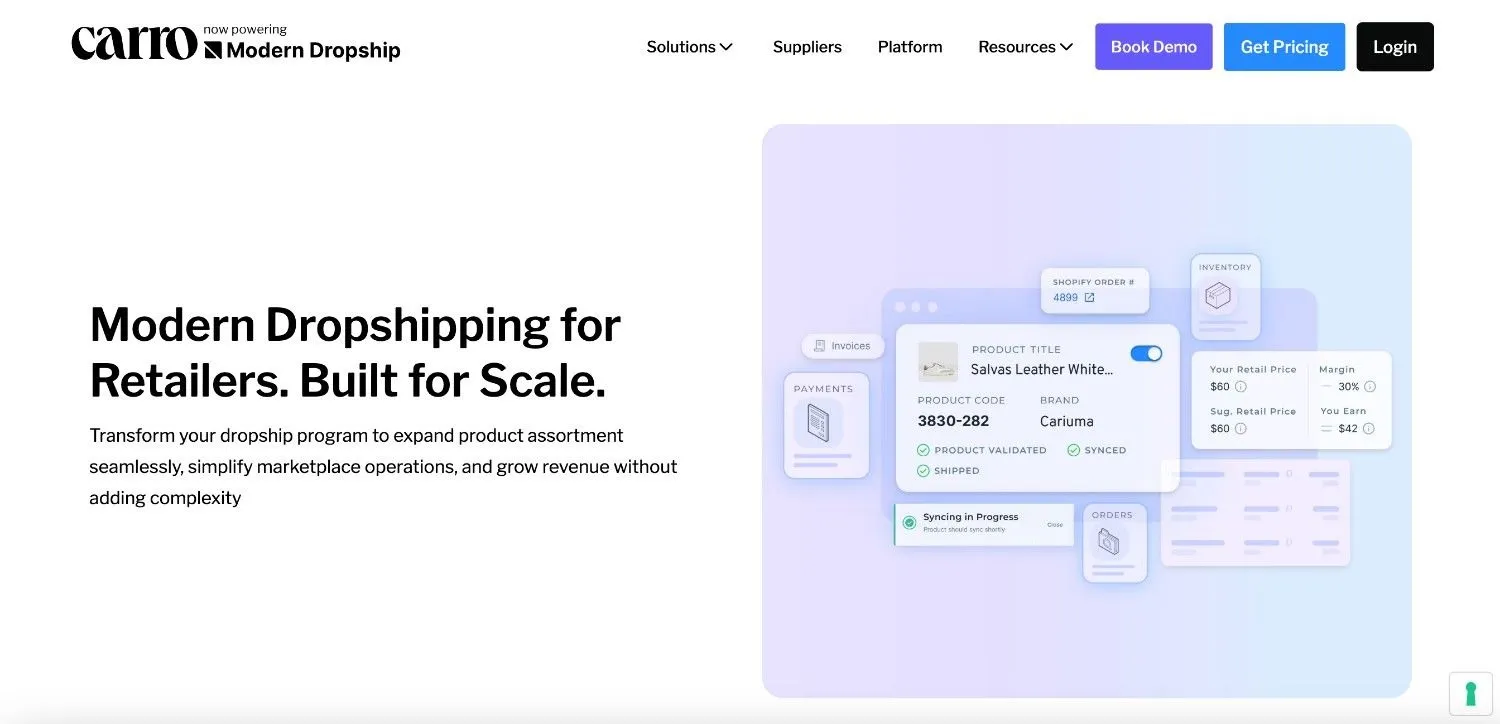
The one option here that is built for product data you don't own. Carro connects your store to a vetted network of brand partners, normalizes their product data, and keeps product information, pricing, and inventory in sync in real time across Shopify, Magento, WooCommerce, and BigCommerce.
Orders route to the right supplier automatically, and partners fulfill directly, so you add assortment without buying inventory.
Best for retailers whose catalog has stopped growing and who want to expand without inventory risk, with usage-based pricing from 5% of sales.
Akeneo

The most widely adopted open-source PIM, with strong governance, localization, and supplier management.
The free Community Edition is self-hosted and needs technical resources to run, so the real cost is configuration time rather than license fees. Best for retailers that want flexibility and have engineering support.
Plytix

Built for team collaboration with an interface designed for non-technical users, including digital asset management and flexible variation handling, from EUR 499 per month. It's less suited to deep enterprise governance.
Best for SMBs and growing DTC brands that want an accessible PIM without enterprise pricing.
Sales Layer
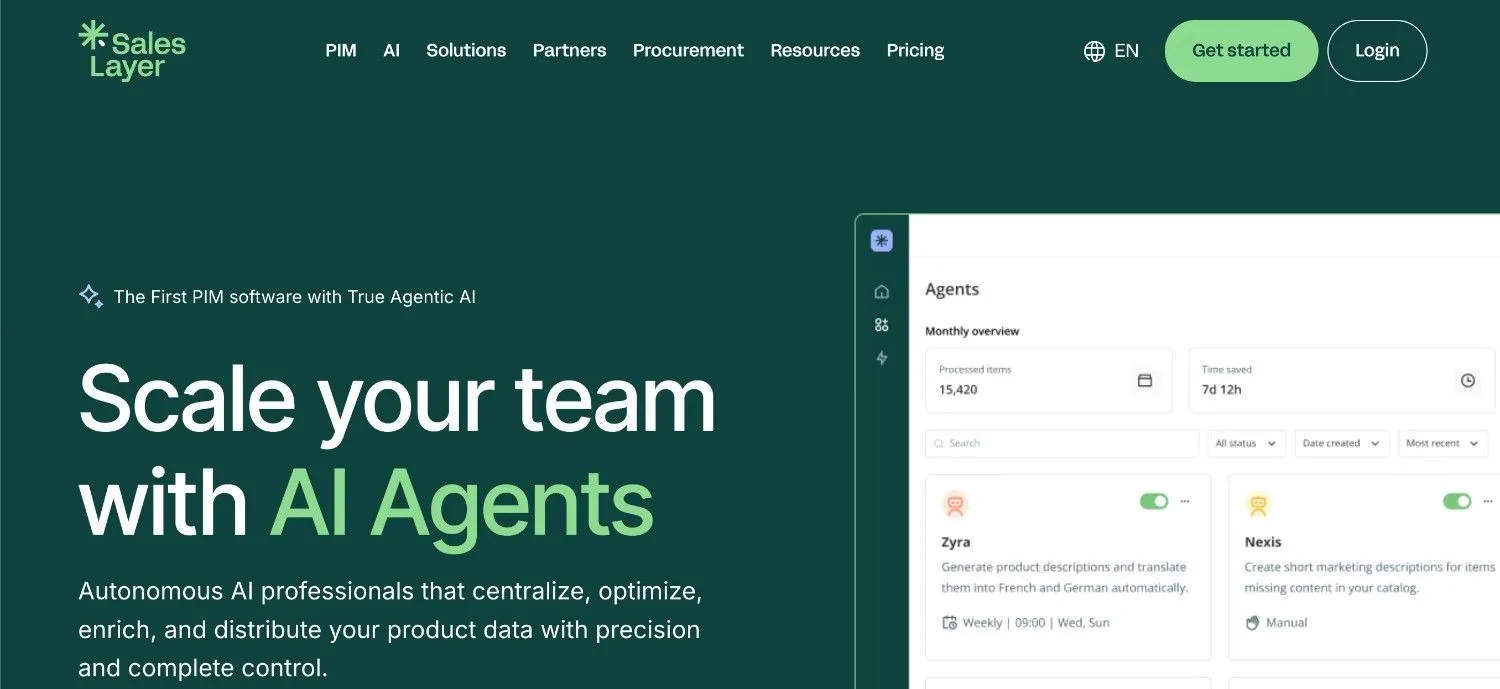
Focused on catalog quality, with analytics that flag missing or incorrect data before it reaches a channel, via a native Shopify connector. Pricing is custom, so budgeting takes a sales conversation. Best for product-marketing teams that want visibility into data quality across a large catalog.
Salsify

Aimed at large brand manufacturers, retailers, and distributors, with a focus on digital shelf performance across retail partners. It's enterprise-weight, which is overkill for smaller catalogs. Best for enterprise teams managing large product portfolios across high-volume retail partners.
Jasper PIM
A native Shopify app, so it needs less configuration than API-based tools, supporting multi-brand storefronts, automatic syndication, and scheduled pricing updates, from USD 999 per month.
It's less flexible outside a Shopify-first setup. Best for Shopify-first brands that want a PIM that connects without custom development.
PIM vs. DAM vs. CRM vs. ERP: What's the Difference?
These four systems are often confused because they all manage business data, but they each govern completely different kinds of information.
- PIM (Product Information Management): manages everything about your products, covering technical specs, attributes, variant structures, descriptions, localizations, and compliance data. It's the source of truth for what a product is.
- DAM (Digital Asset Management): manages digital files, including images, videos, brand guidelines, and other media, storing and distributing them with metadata, usage rights, and version control. A PIM often pulls assets from the DAM and links them to the right product records.
- CRM (Customer Relationship Management): manages data about your customers, including purchase history, contact information, and lifecycle stage. It's the source of truth for who your buyers are.
- ERP (Enterprise Resource Planning): manages core business operations, including inventory, orders, accounting, and supply chain. A PIM usually pulls raw product data from the ERP, then enriches it for selling, so the ERP runs the business while the PIM makes products ready to market.
In practice, all four systems run in parallel. The PIM pulls product images from the DAM and raw data from the ERP while syncing finished specs to Shopify, and the CRM accesses product data to support sales conversations.
Together they form what's called a Master Data Management (MDM) architecture, built on separate but connected sources of truth that keep the business running on accurate, up-to-date information.
Where a PIM Stops: The Product Data You Don't Own
Everything above governs the catalog you already own. A PIM cleans it, structures it, and syndicates it. But the moment you grow assortment through suppliers or brand partners, you take on product data for inventory you don't own, and that sits outside what a PIM manages.
That partner data is its own problem; feeds arrive in different formats, attributes don't match your taxonomy, and prices and stock levels change on the supplier's side, not yours. A PIM governs the data you control, so it has no source of truth for inventory that lives with someone else.
Carro, now powering Modern Dropship, is built for that layer. It connects your Shopify store to a vetted network of over 1.5 million products from brand partners, normalizes that supplier data, and keeps product information, pricing, and inventory in sync automatically.
When a customer buys a partner product, the order routes to the supplier, who ships it directly, while Carro handles the partner payout. So the two layers split the catalog cleanly:
Your PIM governs the data for products you own; Carro brings the assortment you don't own and manages its data into Shopify for you, across Shopify, Magento, WooCommerce, and BigCommerce.
Retailers using Carro have seen up to 3.5x revenue growth, up to 180% increase in average order value, and up to 3x growth in catalog size, all without warehouse expansion or inventory investment. Companies like VYSN grew their assortment across multiple platforms from one centralized place without adding operational friction.
Start Growing with Carro
A PIM gives you control over the product data you already have. Carro gives you something different, i.e., the ability to sell products you don't own, without inventory risk, added headcount, or disrupting the Shopify setup you've already built.
If your catalog has plateaued, or you want to expand into new categories without taking on inventory, Carro clears the assortment ceiling that a PIM leaves in place.
- Inventory-free assortment growth: Add new product categories and lift average order value without touching your balance sheet or your warehouse.
- Real-time Shopify sync: Partner products, inventory, and pricing stay current automatically, the same data discipline a PIM gives you, extended to inventory you don't own.
Pricing is usage-based, starting at 5% of sales, so you only pay as you grow. Book a Demo to see Carro expand your catalog.
FAQs About Shopify PIM
What is a Shopify PIM, and do I need one?
A Shopify PIM is a Product Information Management system that acts as the central source of truth for all your product data, sitting upstream of Shopify and feeding it clean, validated content. You need one when your catalog gets complex enough that managing it manually starts causing errors, generally once you're managing a growing range across multiple channels or working with several suppliers.
How do I integrate a PIM system with Shopify?
The process follows seven steps: auditing your product data, defining your data model, choosing your integration method (native connector, API, or middleware), migrating and enriching your data, configuring publishing rules per channel, running a pilot on a subset of your catalog, and training your team on governance. For most Shopify merchants, a native connector is the most reliable starting point.
Do I actually need a PIM for Shopify yet?
Not always. If you sell only on Shopify, manage under roughly 200 SKUs with simple products, own all your data, and have one person updating listings, Shopify's native fields and metafields are usually enough. A PIM starts to pay off once you cross into hundreds or thousands of SKUs, three or more channels, deep variant structures, multiple suppliers, or a team that needs approvals and permissions.
What is the best PIM for Shopify in 2026?
It depends on your catalog size and team structure. Jasper PIM is the most straightforward for out-of-the-box Shopify integration, Akeneo is the most flexible for mid-to-enterprise retailers, Plytix is the easiest for collaborative teams, and Salsify is best suited to enterprise brand manufacturers. If your goal is to grow the catalog itself rather than just organizing it, pair your PIM with Carro to add products you don't own.
How do PIM attributes map to Shopify metafields?
A PIM maps each product attribute to a structured Shopify field, and most custom attributes land in metafields, with richer reusable structures handled by metaobjects. Shopify allows up to 256 metafield definitions per resource type, and most metafield values are capped at 64KB, so a good Shopify PIM connector validates attribute types and sizes before syncing rather than failing at publish time.
How much does a Shopify PIM cost?
Costs range from free for Akeneo's self-hosted Community Edition to USD 999/month and above for tools like Jasper PIM. Plytix starts from EUR 499/month for the Pro plan, while Sales Layer and Salsify use custom pricing based on catalog volume and features. When budgeting, factor in implementation and onboarding time, not just the monthly fee, since that's where most of the real cost sits.
What's the difference between a PIM and Shopify's native product management?
Shopify's native product management stores basic product fields and displays them during checkout. A PIM is the upstream layer that governs the full complexity of your product data before it reaches Shopify, including deep attribute structures, variant logic, localization, and multi-channel syndication. Shopify is where the data lands; a PIM is where it's structured, validated, and maintained.
Can a PIM help with Shopify multi-store or international selling?
Yes, and it's one of the strongest reasons to invest in one. A PIM manages localization as a structured workflow, handling region-specific translations, locale-scoped content, currency formatting, and market-specific compliance fields across every Shopify market, rather than requiring your team to manage it manually per storefront.
Will a PIM grow my Shopify catalog or just organize it?
A PIM organizes, enriches, and syndicates the catalog you already own; it doesn't add new products to sell. If your growth is capped by assortment rather than data quality, you need a different layer. Carro connects your store to over 1.5 million products from vetted brand partners, fulfilled directly by them, so you can expand your catalog without buying inventory.
Does Shopify have built-in PIM functionality?
No. Shopify offers product fields, metafields, and basic variant management for storefront purposes, but it doesn't have the governance controls, enrichment workflows, or multi-channel syndication that a dedicated PIM provides. Shopify integrates well with leading PIM tools through certified connectors and its API, but the PIM itself needs to be a separate system.